What is this feature?
This setting is used to set an email address which will be used as the sender email for all documents sent from this business. It's referenced in the email notifications and used as reply-to address.
How to enable the feature:
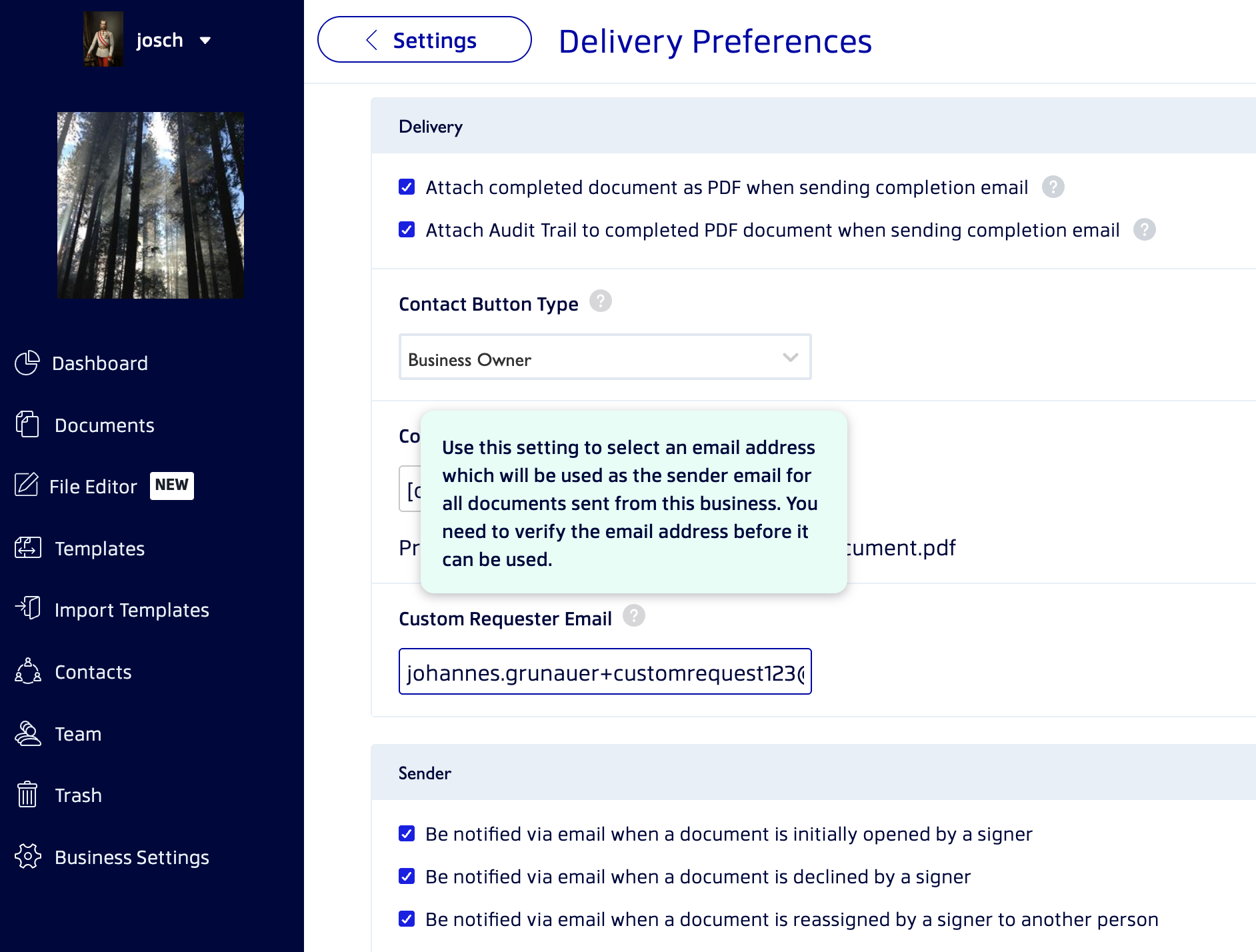
- Starting from the Dashboard navigate to the Business Settings Tab
- Open the Delivery Preferences options
- Put the email you wish to use in the Custom Requestor Email field as shown below
If the email is not yet verified you will see a warning (as shown below)
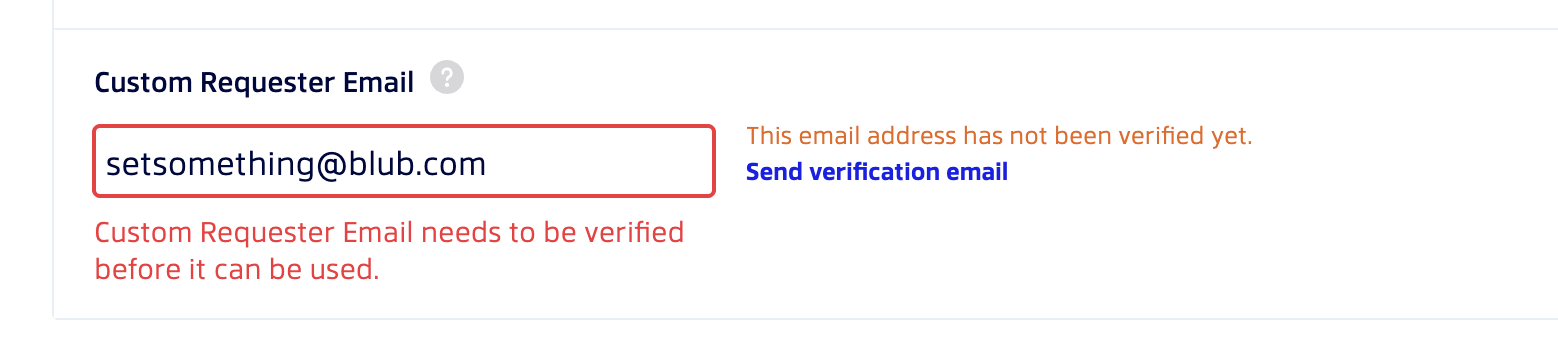
Use the link "Send verification email" to send a verification email to the address in the field. You will receive and email to verify the address. Once done you will be able to use the Customer Requestor Email for your documents.
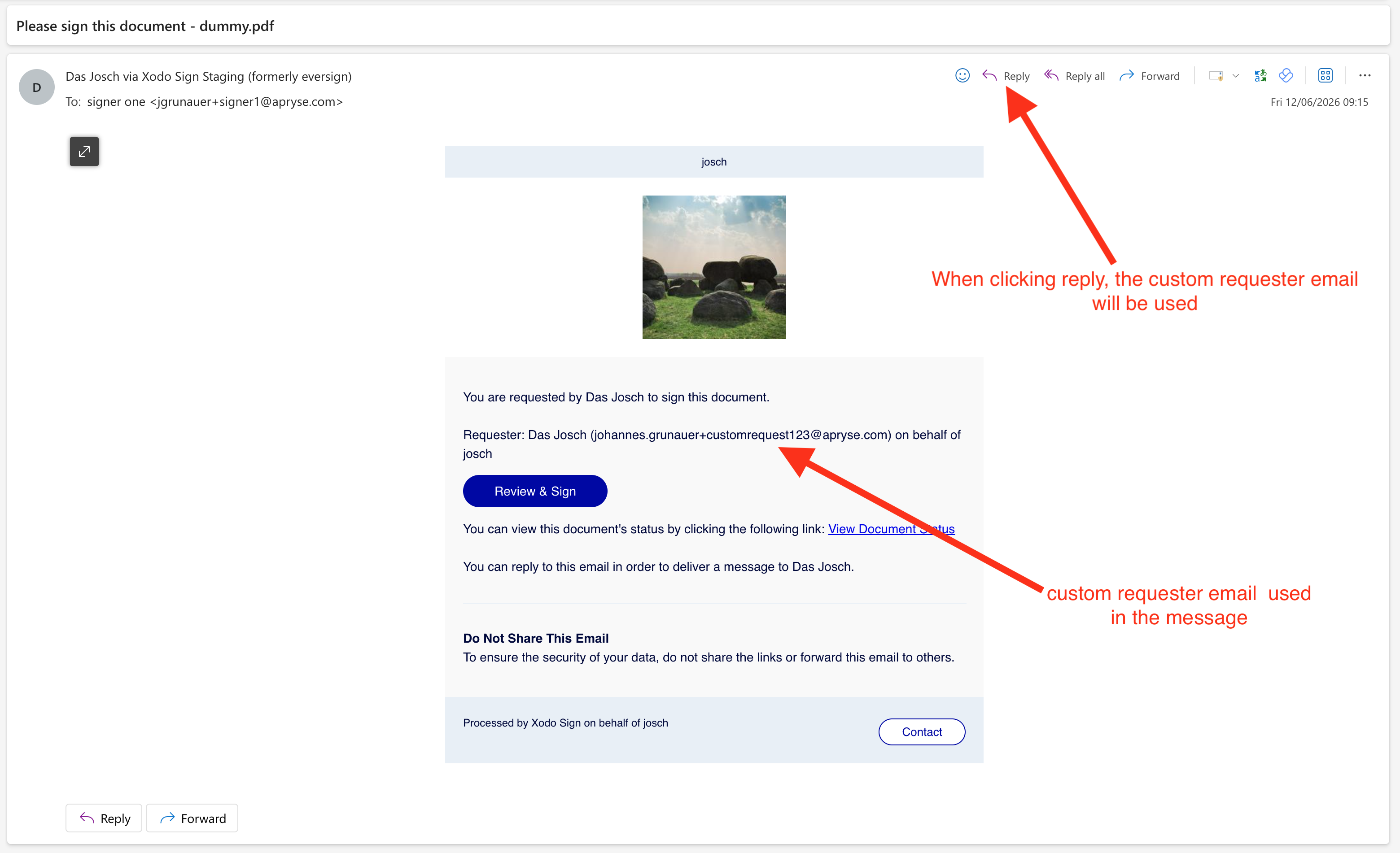
What your contacts will see once this is enabled:
Once enabled your contacts will see this email in the body of the message, and any replies to the document delivery email will be directed to your Custom Requestor Email address.
Was this article helpful?
That’s Great!
Thank you for your feedback
Sorry! We couldn't be helpful
Thank you for your feedback
Feedback sent
We appreciate your effort and will try to fix the article